Cloud computing software is an industry growing at a rapid pace. Its emergence has revolutionised the way businesses operate, and how we manage our workflows. We recognise that cloud is a new concept to many. We are heading into a digital age that many of us are sceptical about, perhaps because it is rarely explained in simple language, and often used as an umbrella term for many aspects. In this article, we will explore the basics of cloud software. We will discuss the benefits and provide some examples to give you confidence in your projects and workflows.
What is cloud software?
Cloud software are programs that allow users to access and use applications, data, and services over the internet. Being cloud native eliminates the need for users to install and run applications on local devices thanks to remote servers do all the processing and storage. This makes it easier for you to scale your workflows, save valuable time, meet project requirements, and reduce costs.
Benefits to the user
- Scalability: scale operations as needed, without having to worry about underlying infrastructure.
- Cost saving: there is no need to invest in expensive hardware. Often, cloud services offer a pay-as-you-go option, making them more cost effective for one-off uses.
- Flexibility: you have access to applications and data from anywhere, at any time, using any device with an internet connection.
- Reliability: redundant systems and automatic failover mechanisms are in place to ensure services are always available. Store your work in the cloud to keep it safe and protected.
- Collaborative: share work with your colleagues in an instant. This avoids clogging up email inboxes or personal filing locations.
Cloud software for geotechnical engineering
Moving to cloud software will allow you to reimagine your workflows for your projects. Finding the right processes and systems is vital to the integration of cloud. Providing training can also be a big task so the easier the software is to use and learn to use, the better. Cloud-native geotechnical software helps engineers worldwide conquer the most common and complex geotechnical challenges with confidence.
There is a range of programs that have advanced features for solving the likes of:
- Geotechnical analysis
- Subsurface data management
- Geotechnical graphing
- Geotechnical data and information management
Examples of geotechnical cloud software
At Oasys, we strive to stay ahead of the curve with the latest technology. We are always transforming and reshaping our software to ensure it meets the needs of our users. By embracing new developments within the industry, we can offer next generation software to our customers.
Oasys Gofer
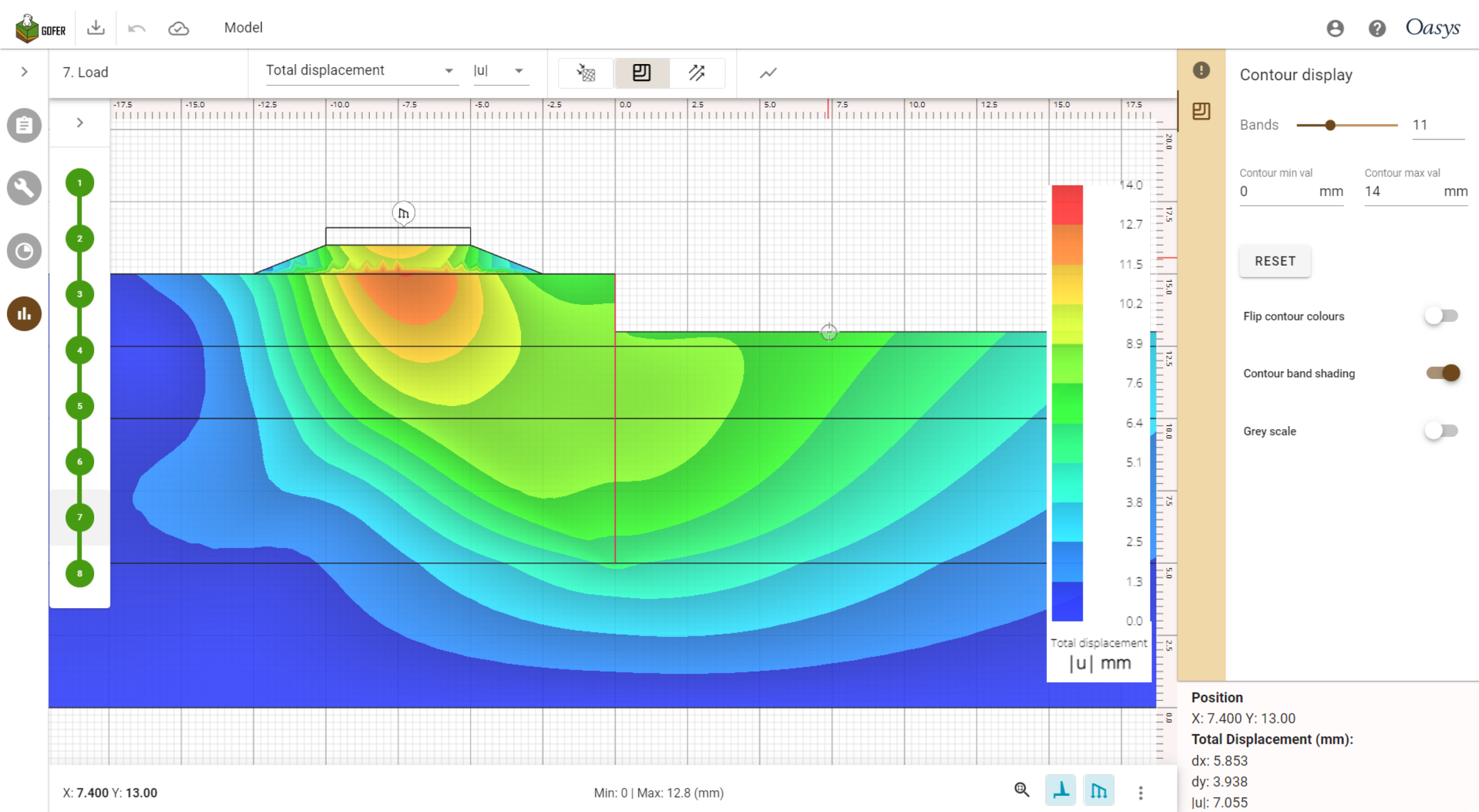
We began the journey to cloud with our 2D geotechnical finite element analysis (FEA) software, Oasys Gofer. Gofer allows engineers to model the behaviour of the ground as you build things on, in, and through it. It is the next-generation geotechnical analysis tool that offers a new FEA experience. Combining a modern web user interface with powerful cloud computing, Gofer makes modelling some of the most common geotechnical analysis situations effortless.
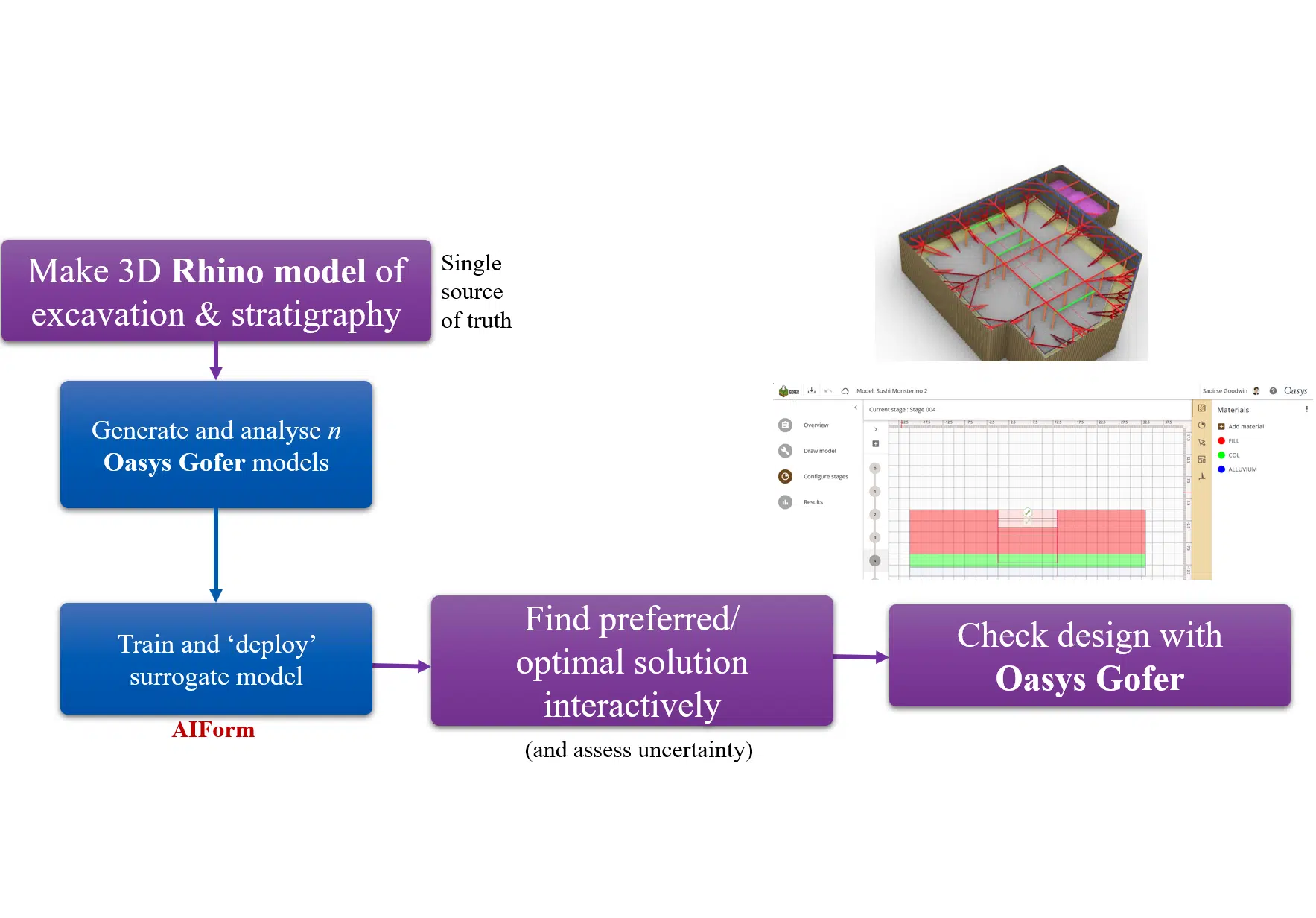
Gofer offers several benefits. You can build, analyse, and collaborate on geotechnical models. By connecting your logic and processes to its cloud FEA capability, Gofer’s web API (Application Programming Interface) helps you to power your automation workflows.
Oasys Giraphe
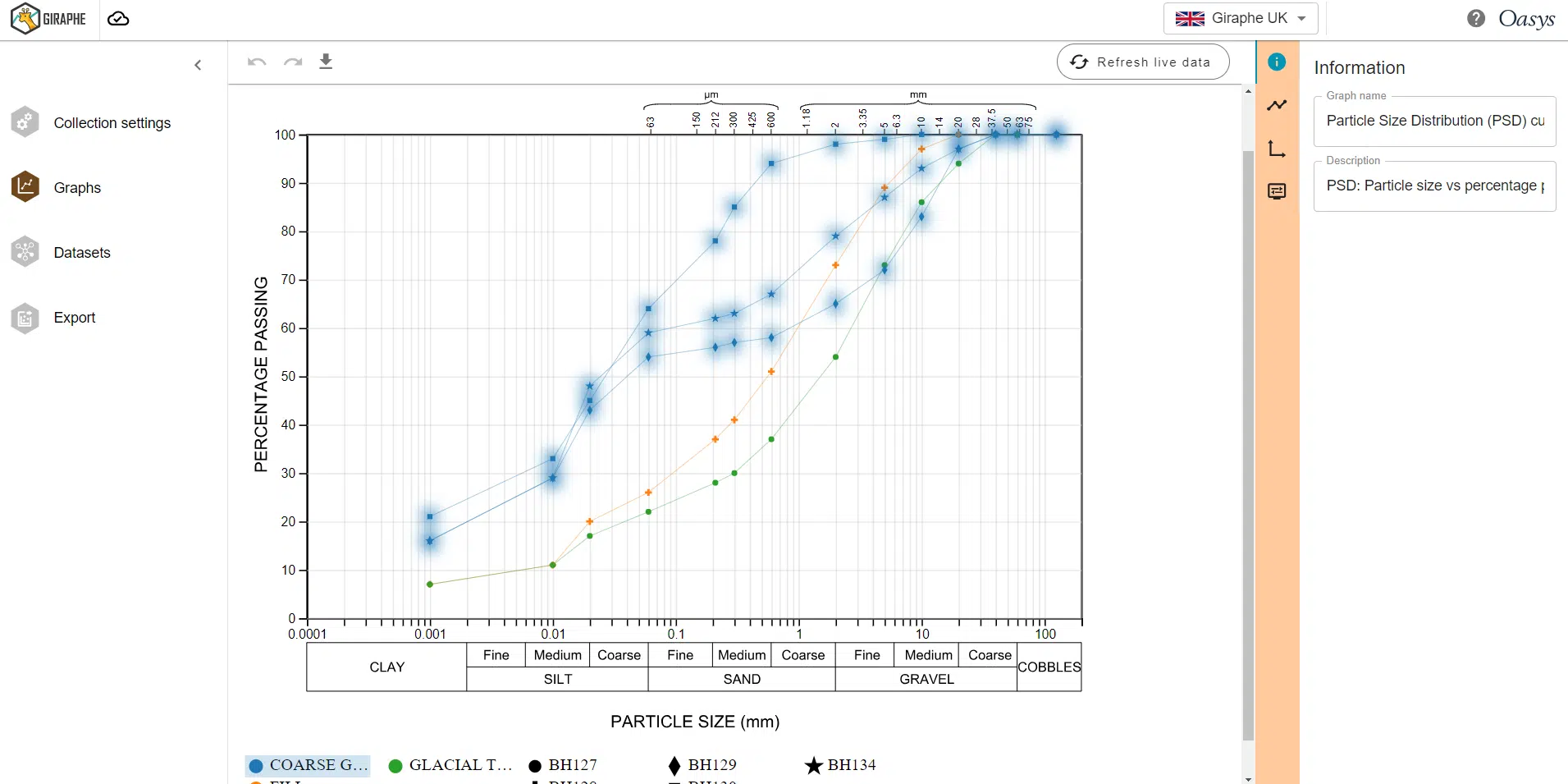
As a Seequent Technology Partner, we developed Oasys Giraphe. It is the dynamic graphing integration for Seequent’s OpenGround geotechnical information management software. Coming soon to Oasys Geotechnical, Giraphe makes geotechnical graphing seamless. The program has a predefined library of geotechnical graphs. It can retrieve data from OpenGround and create these graphs in one click. Giraphe offers the ability to build custom graphs by querying all the fields in the OpenGround database and by uploading data from a CSV file.
Leveraging cloud technology, Giraphe is set to revolutionise the way we produce graphs for our reports in the future.
Cloud software is becoming mainstream and overtaking traditional desktop software in the race to meet your needs. Consider adopting cloud and implementing it into your workflows today to stay at the forefront of technology.
Dynamic graphing
Oasys Giraphe
Dynamic graphing integration for OpenGround.
2D geotechnical analysis
Oasys Gofer
Routine 2D geotechnical numerical analysis.